

Forum Replies Created
-
AuthorPosts
-
'Support' wrote:
Hello!
Some improvements will be added in the nearest release.
Thanks Serge… we point em out.. u fix em or tell us we're wrong…perfect lol 😉
'Support' wrote:“Beginning of work” will be translated at the nearest days and this link will be published on the main page 🙂
Cool 🙂
Hi Serge,
just took a look at that link… looks exactly what we need… love the way you have it laid out and illustrating with the pictures is an excellent idea. Kudos Serge, busy man huh? lol 😉
I have Google Chrome set up to auto-translate Russian pages into English… it reads good so far, even with the auto-translator function. I will look at it closer l8r 🙂
Don't have time to look right now cos going out… can you put up the link as a 'STICKY'? (WORK IN PROGRESS) Or are u not ready to 'launch' yet?
Or does everyone else already know about it apart from me lol? Happens to me a lot, that 😉
'Support' wrote:Darren, please look, sSpeedButton1.SkinData.SkinManager property exist already. Maybe that's what you meant?
You can define any SkinManager for a custom control from AlphaControls package.
Or I not quite understand your idea?
omg lol Serge!! In all my years of using AlphaSkins I didn't know you could do that!!!!!
You're brilliant!!!!! Wow all my forms have used a single skin… and yet you have already offered this idea for years?!?!? lol I don't feel a fool for offering the idea because I knew it was a good one I just didn't know it was already there!!!
Brilliant Serge absolutely brilliant.
Serge, we gotta get some up to date documentation done! Hows that coming I know you are working on it?
Darren
Now thats what I call preparing somebody lol… interesting read, will take time to look at the site you gave later just because of it.
'Hamilton' wrote:I'm just a fan too 🙂
I don't have much time to help in the forums atm but normally I like to be active here to be aware of issues my users may face and to encourage/support a community for a product that has improved the appearance and functionality of my apps so much. Full kudos is to Serge, Sascha, anyone else they have hiding away in ACCentral, and the community users who contribute to the product 🙂
Yeah what he said
lol
'Support' wrote:Hello All
TsSpeedButton will be repainted automatically in the nearest release.
Wesley, for a full repaint of Alpha controls may be used this code : TsSpeedButton(Components).SkinData.Invalidate
Thankyou Serge 🙂
'Support' wrote:Hi Darren!
“TOOLBAR” section had incorrect data for Active state in some skins.
All skins are updated now and you can download them here :
After skin package update and using showing the same 'problem skins I showed above…
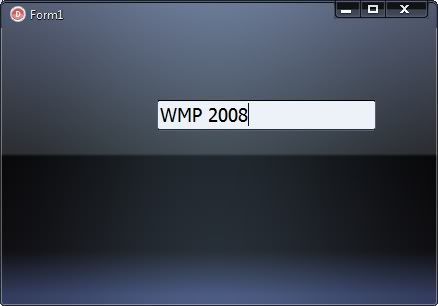
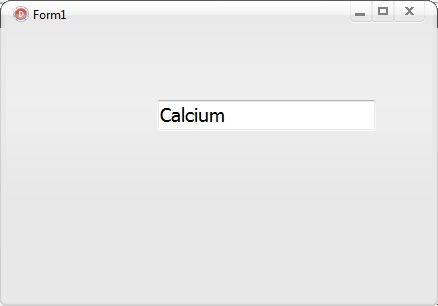
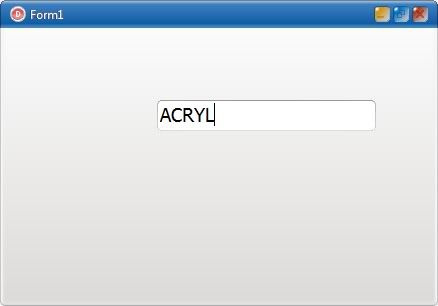
Looks proper! Thanks, Serge 😉
Hi,
just saw ur msg and noticed u said AC 7.68? I know personally that the latest 8.14 seems a lot faster and flicker free here for me anyway… did u try that version yet?
Hmmm looks like I just deleted the bulk of this post… uggggggggg! What u see here isn't what was here 10 mins ago.
Did you see it, Hamilton? God sometimes I hate cut and paste when I'm editing something
Essence was, visible property didn't help and in fact didn't seem to do much at all… also setting it in the IDE (to false) running program, coming back to IDE and the property was always true…? Is that normal?
Whatever combination of enabled, visible properties I use, Tabsheet tab is always visible, and clickable… but text on tabsheet tab appears disabled.
I'm sure I must be doing this wrong unless it's a bug?
Re : the drawing artefacts issue and the issue I was having with the comboboxex appearing to try and 'resize' it's items on first display…hopefully other people could see what I meant in the demo.
Anyway, in main app I have solved that issue…for me at least. I have reordered my page control so that in it's initial view state the page it displays is not the page upon which the comboboxex lies. It seems that by doing this, when the user switches over to the page with the comboboxex on it, there are no longer any drawing artefacts and the items are correctly sized.
Despite trying to tweak my initial demo, I could not get rid of the issues with artefacts here on my system. Using this new method, I'm happy to say it appears to have gone away 🙂
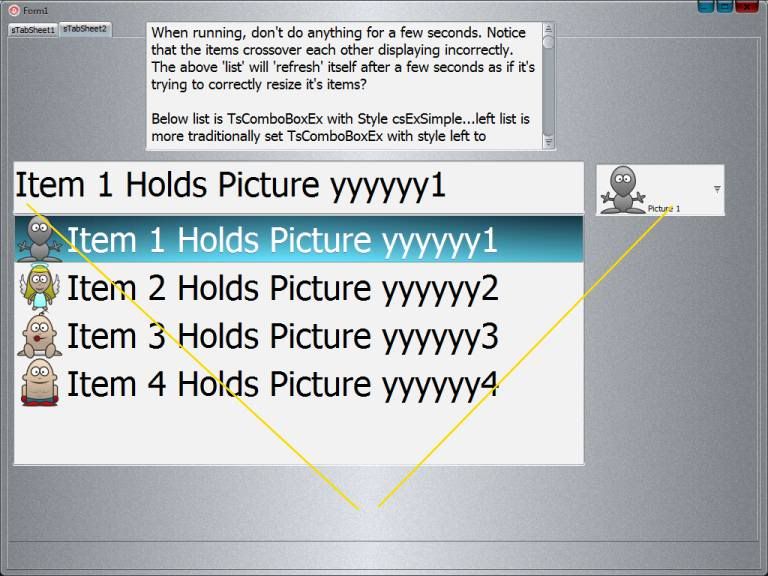
you can see the differences 🙂 Anyway, highlighted the top caption bar…image should be displayed there for selected item I think…as this is the default behaviour in the control?
Knocking my problems down one by one in the past few days lol!
The correct way to change an image and caption (or just image) of the selected item in a TsComboBoxEx with style csExSimple… as far as I know at the moment anyway.
var
StoreItemIndex : integer;
NewCaption : String;
WhichItemToUpdate : integer;
ChangeToWhatImage : integer;
Begin
ChangeToWhatImage := !!!whatever image number you want to change to within bounds of your imagelist!!!
WhichItemToUpdate := !!!whichever itemindex in comboboxex1 you want to change!!!
NewCaption :='Changed!'; // if you want to change just the image, but leave the caption alone…. set this to scomboboxex1.items[WhichItemToUpdate];
StoreItemIndex := scomboboxex1.itemindex;
scomboboxex1.items[StoreItemIndex] :=NewCaption;
scomboboxex1.itemsex[StoreItemIndex].imageindex := ChangeToWhatImage;
scomboboxex1.itemindex :=StoreItemIndex; /// return itemindex back to where it was
end;
the storing of the itemindex property was necessary as if you try to use the itemindex property explicitly, you will get a Out Of Bounds error (-1)…the first call to update the caption invalidates the itemindex property and returns it to -1.
Works fine here. Hope it helps.
Wow cool day for me…
thinking about your advice on really finding out which of Invalidate, Refresh, Repaint would work for my speedbutton problem I tried them all and nothing. Then I did this
sspeedbuttonEditPreview.Invalidate;
sspeedbuttonEditPreview.refresh;
*together and in that order*
which kinda makes sense and i wonder why it didn't occur to me…invalidate says 'invalidate this'…then it makes sense to call the refresh to 'refresh what you just invalidated'. Anyway…it works for my problem here. Hope it helps someone else 🙂
EDIT UPDATE*** Tested for the last 30 mins in all areas of my main app that were experiencing button update problems. Looks as solid as a rock all update issues now gone *touch wood*
EDIT UPDATE 2*** It works all the time here…never had one fail yet after over 14 hours of solid programming/testing main app 🙂
Holy crap batman!
In my demo app I had this code to update comboboxex1
sComboBoxEx1.ItemsEx[StoredComboBoxEx1ItemIndex].ImageIndex :=
sComboBoxEx2.Itemindex;
sComboBoxEx1.Items[StoredComboBoxEx1ItemIndex] := 'Item ' +
inttostr(StoredComboBoxEx1ItemIndex + 1) + ' Holds Picture ' +
inttostr(sComboBoxEx2.Itemindex + 1) + ' *Changed*';
it wasn't working…text updated…image disappeared :/
purely by chance I thought hang on I'll try
sComboBoxEx1.Items[StoredComboBoxEx1ItemIndex] := 'Item ' +
inttostr(StoredComboBoxEx1ItemIndex + 1) + ' Holds Picture ' +
inttostr(sComboBoxEx2.Itemindex + 1) + ' *Changed*';
sComboBoxEx1.ItemsEx[StoredComboBoxEx1ItemIndex].ImageIndex :=
sComboBoxEx2.Itemindex;
and it works perfect!!!!!! Purely changing the order of update from *Update Image Index* then *Update Text* to the opposite…works!!! Phew cool…weird weird weird. Don't ask cos I don't know lol
Quote:I noticed a couple of releases back that some buttons and other controls in my apps weren't refreshing when font and color properties were being updated. It had worked in the past but suddenly I had to code around it. I think it's actually a bug – setting the colour *should* have an immediate effect without any more code. Anyway you can easily code around it as you've done, or more efficiently just refresh the control you're altering with a call to invalidate, refresh or repaint (normally invalidate but it depends on the control).
Hi Hamilton,
I've noticed in a few controls there still exist a few refresh problems…they're not always refreshed EVERY time. I'm linking a few speed buttons to various alphaimagelists then changing their image index…most times it works but sometimes the image won't refresh until you either move the mouse over the button, or move away from the form/page and come back to it. It doesn't happen every time and believe me I've tried combinations of Invalidate, Refresh and Repaint but they don't always work. I don't think thats a bug in the execution/coding of the controls I think it might just be a small bug in the *flow* of execution. I had an idea though…because obviously (my example of speed button not always refreshing) the image is 'there' cos it appears when mouse is moved over… do you think if the AC team (whilst the small 'bugs' are there) might implement a method/property of each control called something like
WhateverAlphaSkinsControl.EmergencyRedraw;
this would call the root code drawing of the item…that root code is there and it works cos …well my example again…image is shown when mouse is moved over control or page is changed then come back to…so drawing code is fine just not always the *updating* code. Maybe they're already doing that though cos thats what .Redraw is supposed to do? What do you think?
Hi Hamilton 🙂
thanks ever so much for replying 🙂 Okay, so when you selected an image from the combobox on the right it correctly updated the one on the left? images and text both? It's just your screen shot only shows the 'initial' state of the project when it's ran so I can't be certain. Also it looks from the screen shot that there's no skin applied to the form there? (scrollbars, form background etc look unskinned?). Did you scroll the memo box down to get a full description of problem…*cough* sorry just double checking lol
Thanks for taking the time to help. Here's what it looks like here. Perhaps I can't see the wood from the trees and have made an obvious error in coding…it happens lol
*************
Form when first run
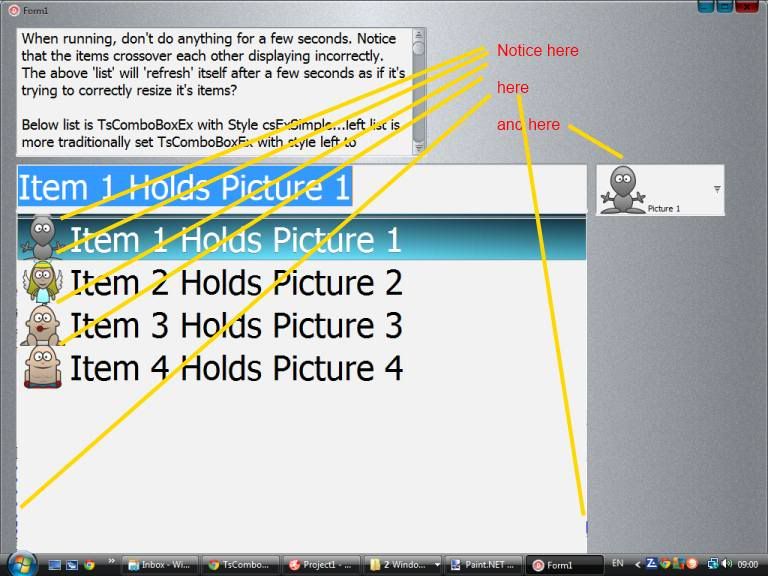
*************
After about 2-5 seconds
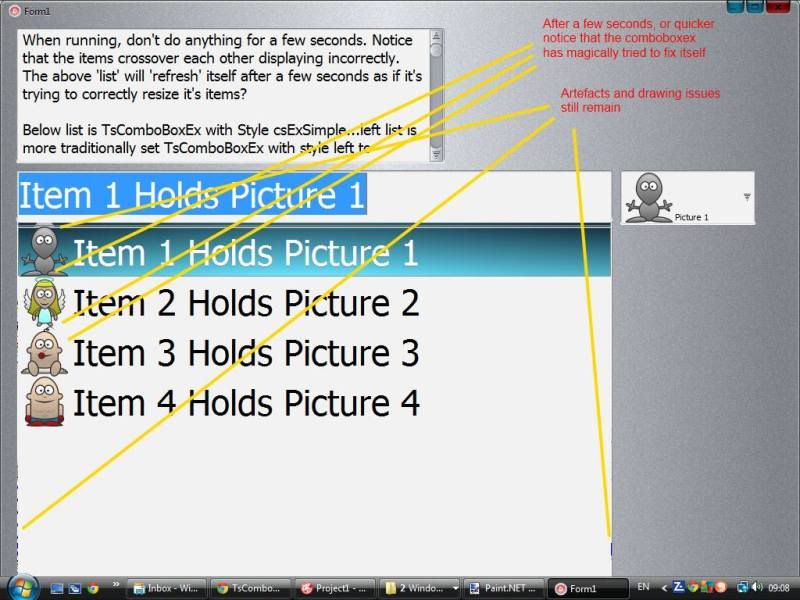
**************
After making 2 changes to items in list, using images on right
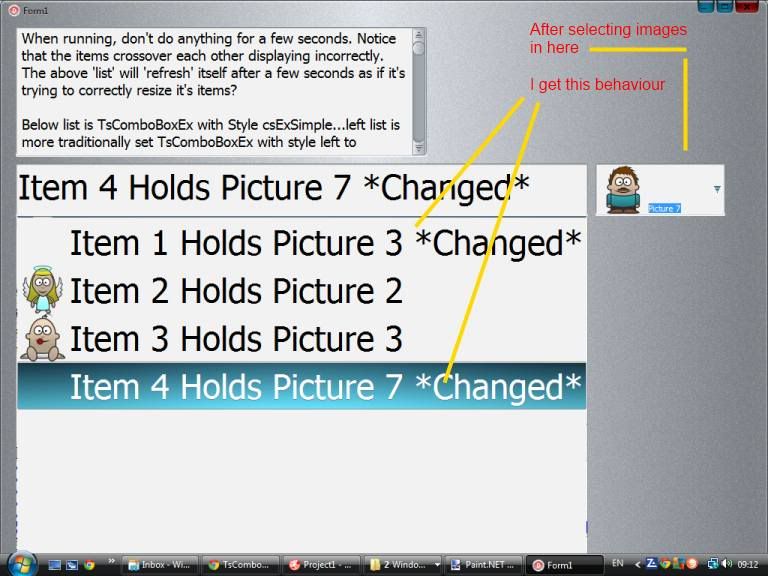
I have reuploaded demo…I had not linked click event of comboboxex2 properly….mentioned as an edit in first post, but now hopefully fixed.
Thanks
Darren
BTW Hamilton
Quote:You code worked fine apart from the custom output paths for the project; once I removed those it compiled OK.Never uploaded demos before yesterday…how do I stop that from happening? I don't want anyone to have to edit anything to have to compile app.
A silly question but in your screenshot…those pictures don't actually look like that there do they? The black outlines look horrible, here very smooth…was that just your paint package doing it?
Hi Hamilton,
got your demo. Thanks, confirmed behaviour here too. Never checked for the panel OnMove event being fired…nice add 😉
Darren
'Hamilton' wrote:What behaviour are you asking us to test Darren?
Hi Hamilton,
just set up a basic form as described, and set it's skinprovider/skindata/skinsection property to Toolbar. Run your app with the skins I've shown in the pics and do you see same behaviour? I understand that in reality, simply placing a panel with skinsection property ToolBar, and making this the size of the form's client area eradicates problem completely…just curious 🙂
Thanks
Darren
Hi,
not sure what skin it is so couldn't test it here. I have included a little demo using AfterBurner and uploaded it as attachment…it seems to work fine on that skin anyway. Do you have 'SkinnedPopups' property in SkinManager set to true?
Delphi XE, Vista 64 bit here.
Hi,
I will try but I do not know exactly what you want to do…I ran your code on a form with 3 speed buttons but it did not seem to do anything so I am uncertain.
in my app I sometimes use things like
var
TempColor : TColor
TempColor := formMainScreen.sSkinManager1.gd
[formMainScreen.sPanelTitleBar.SkinData.SkinIndex].FontColor[2];
to get colors of items used in skins…can you adapt this?
are you familiar with the FAQ entry on the main page which helped me a lot on this?
Quote:Where can I get the information on a control color and its other characteristics, such as sBitBtn1?
The TsSkinManager component has a specified gd : TsGeneralDataArray property, where each item is
TsGeneralData = record
ParentClass : string;
ClassName : string;
Color : TColor;
FontColor : array [1..5] of integer;
HotFontColor : array [1..5] of integer;
ReservedBoolean : boolean;
Transparency : integer;
GradientPercent : integer;
GradientData : string;
GradientArray : TsGradArray;
ImagePercent : integer;
ShowFocus : boolean;
FadingEnabled : boolean;
FadingIntervalIn : integer;
FadingIntervalOut : integer;
FadingIterations : integer;
HotColor : TColor;
HotTransparency : integer;
HotGradientPercent : integer;
HotGradientData : string;
HotGradientArray : TsGradArray;
HotImagePercent : integer;
…
end;
Use SkinData.SkinIndex property to get access to the properties of a certain control.
Below are a couple of examples of coloring in ordinary and active states:
sSkinManager1.gd[sBitBtn1.SkinData.SkinIndex].Color
sSkinManager1.gd[sBitBtn1.SkinData.SkinIndex].HotColor
Besides, you can get information on a certain skin item, if the SkinIndex is not known. For this purpose use the following function – sSkinManager1.GetSkinIndex(SkinSection : string) : integer;
The name of a required SkinSection is transferred into it as a parameter (all standard SkinSections are listed in the sSkinProp.pas file).
hope it helps…not sure what u want to do yet 🙂
-
AuthorPosts
