

Forum Replies Created
-
AuthorPosts
-
If anybody else experienced this problem – solution is in the skin. Don't use old skins with 7.X version.
Looking forward to your reply! ^_^
Hi, here is a link to Zune software 4 –> link.
You can see all types of controls on that application, it's used to interefe the PC with Zune(microsoft's mp3 player), the mp3 player uses the same metro design.
Some pictures from now:


other software using metro:
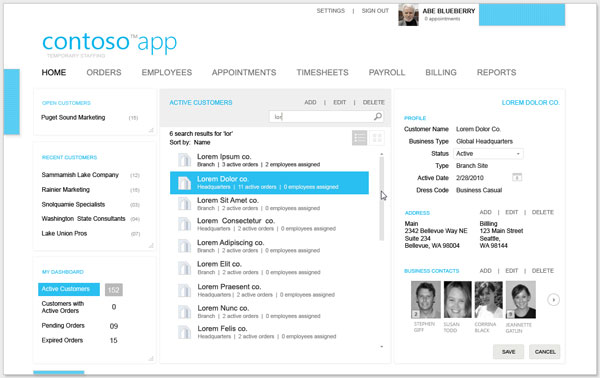
Browser skin:

Mockups of IE9's UI. It is available as a skin for IE8.
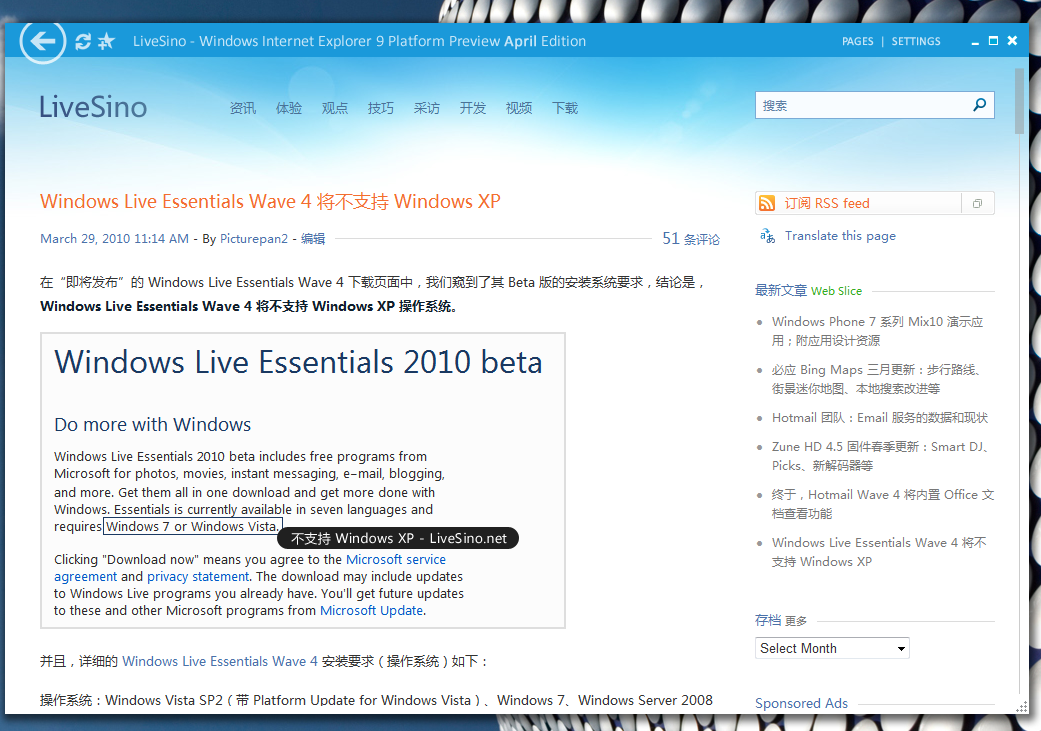
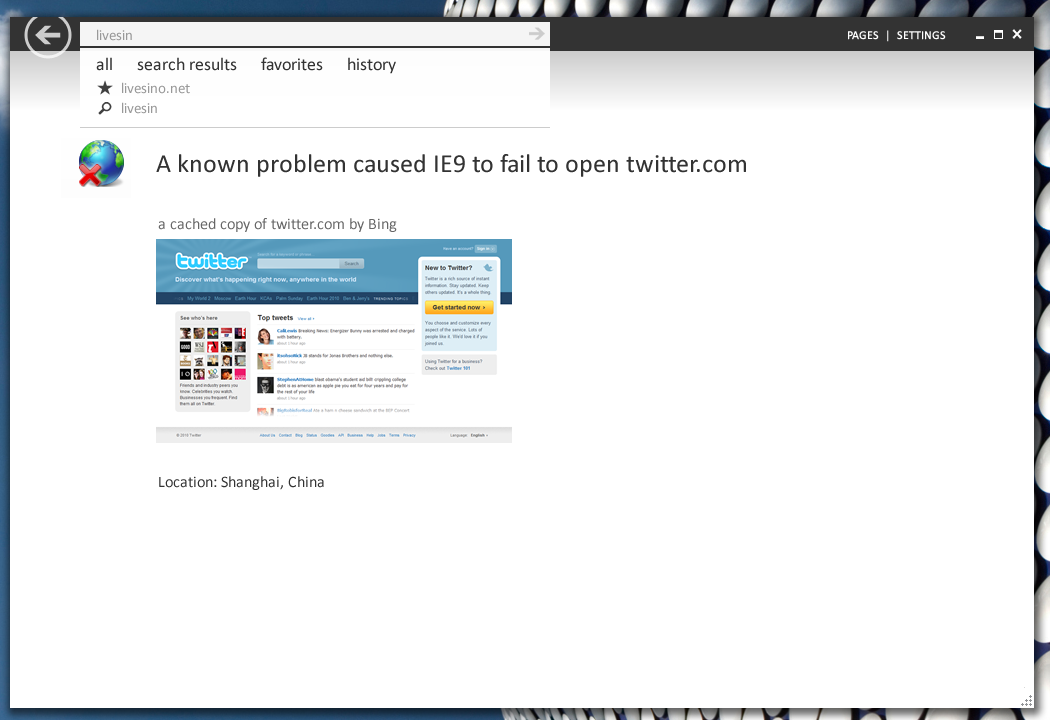
the icons:
Concept of Metro skin and Icons you can find here in this pdf file. IT has many icons. Controls and effects you can find in the first application I wrote about(Zune software 4).The font used:
I wrote a unit that bundles a font into the resources of an executable and initializes it on program execution.
Here:
CODEunit fontUtils;interface
uses Classes,SysUtils,Windows;
function InitFontMem(FResourceName:string):Cardinal;
implementation
{$R ……MiscfontsFontRes.RES}
function InitFontMem(FResourceName:string):Cardinal;
var Res:TResourceStream;
Lib1, FontCount1: Cardinal;
AddFontMemResEx: function(
PFontMem: Pointer; MemSize: Cardinal; PServed:
Pointer; var FontCount: Cardinal
): THandle; stdcall;
begin
Result := 0;
//Avoid exceptions.This api call is included in 2000++
if(Win32Platform = VER_PLATFORM_WIN32_NT) and (Win32MajorVersion >= 5) then begin
Lib1 := LoadLibrary('gdi32.dll');
FontCount1 := 0;
if Lib1 0 then
try
AddFontMemResEx := GetProcAddress(Lib1, 'AddFontMemResourceEx');
if(@AddFontMemResEx nil) then begin
Res := TResourceStream.Create(hInstance, FResourceName, 'RT_FONT');
try
if(Res.Size > 0) then
Result := AddFontMemResEx(Res.Memory, Res.Size, nil, FontCount1);
finally
Res.Free;
end;
end;
finally
end;
end;
end;initialization
InitFontMem('SegoeUI');
InitFontMem('SegoeUILight');end.
A res file is needed to compile that unit. Check the line “{$R ……MiscfontsFontRes.RES}”. I included the method I create res files with example font “Segoe UI”(This is the font they use) in the archive below Fonts.rar.
The best sample you can use to copy it is in the Zune Software 4(the first link in this post), you can see there the effects. The style is called “Metro”. I hope I give you enough. It's the future skin for microsoft software, I hope AlphaSkins has it future.
Please let me know what you think!!
QUOTE (Support @ Jul 18 2010, 11:20 AM) <{POST_SNAPBACK}>Hello John
What is your configuration?
Could you show it on your PC?
Don't worry, this happens only when running with debugger in IDE. Nothing to worry about. I found it a bit lately, but.
Check the demo.
I need some technical info that can't be found in the Net (for example – how to receive a bounds of task button where app must be minimized). I hope I will have it soon..
If there is no info yet then skip that part.Use some fade-like effect similar to the one added in the 6.50 series on startup.It's not supposed to imitate Widnows Vista or 7 ,but rather replace the current one – it makes the form black and then disappear.We already had a discussion about that in russian part of the forum some time ago: http://www.alphaskins.com/forum/index.php?showtopic=2908
But I'm not russian,I don't understand what is written there and that discussion is from 2007-2008.
Is it possible,any plans in future? Please give more information.QUOTE (prefont @ Apr 4 2010, 09:56 PM) <{POST_SNAPBACK}>My response was to you (JohnBank). I had just finished saying that “I have decided not to use Extended borders” when I got your reply insisting that “You must be interested”. Well, I am really not. I was offering to create the sample for the developer – but only if he was interested in pursuing it further.FYI I don't have a problem posting demos (see thread ” ExtendedBorders + Maximize button + V. 6.48 + D2007, Does not maximize”). However I am getting a little tired of having to “prove” there is a bug every time I report one…
Sorry then.But put yourself on Serge's a place.If you don't know how to reproduce the bug – how are you going to fix it? I think the demos are used more for Serge to find the problem much faster than proving the problem itself.It's your decision after all.” border=”0″ alt=”smile.gif” /></p>
</div><!-- .bbp-reply-content -->
</div><!-- .reply -->
<div id=) QUOTE (prefont @ Apr 4 2010, 12:44 AM) <{POST_SNAPBACK}>Thanks for such a valuable contribution…
QUOTE (prefont @ Apr 4 2010, 12:44 AM) <{POST_SNAPBACK}>Thanks for such a valuable contribution…
Serge asks you if you can make a demo.You reply 'if you're interested ,I can'.Why do you think he will ask you for demo if he has no interest?
I don't understand why you react so sarcastic. QUOTE (prefont @ Apr 2 2010, 09:03 PM) <{POST_SNAPBACK}>Hello,
It is really not hard to duplicate. Any simple project in D2007 will do it.
I have decided not to use Extended borders because they seem to be problematic, but if you are really interested in solving the problem I will create a simple demo app for you…
You must be interested,not he.If you want to solve the problem then provide as much information as possible!Any progress? <img src="style_emoticons//unsure.gif” style=”vertical-align:middle” emoid=”:???:” border=”0″ alt=”unsure.gif” />
Using latest stable version – v6.48

Unfortunately the project is very big and the bug – very hard to reproduce.
It is important to say that after Serge wrote that reply, that error has reduced the times I've seen it.Before it was something very often,now very rare,but still shows.Please fix it!
QUOTE (Luciano Aibar @ Sep 28 2009, 03:10 AM) <{POST_SNAPBACK}>perhaps im not using the correct words
i will try to say in a better way1) I got 3 PCs here: 2 with XP SP3 and 1 with XP SP2
2) I create a new C++ Builder 2010 project with just 2 things: TsSkinManager and TStringGrid
3) I select a skin.. for example Topaz
4) I compile and run in 2 PCs, both PCs with XP SP3 fully updated and the result is…Yes,that's better.I think the problem is in step 2.Why didn't you use TsSkinProvider?
QUOTE (Luciano Aibar @ Sep 27 2009, 01:22 PM) <{POST_SNAPBACK}>I tested the same .exe in XP SP2 and the header is skinned QUOTE (Paulo César @ Sep 19 2009, 12:08 AM) <{POST_SNAPBACK}>I tested here now, AC 6.44 still bugged.
How could it be bugged if I just told you that it's not AC's fault?
Upload a demo.QUOTE (Paulo Cйsar @ Sep 17 2009, 09:22 PM) <{POST_SNAPBACK}>If I use “SkinManager.ExtendedBorders := True; and press the maximize button, on the “WMP2008” skin, it bugs the window and the maximize button.
Use AlphaControls 6.44.This bug was solved(confirmed by me).Side note: I don't see any difference when ExtendedBorders is true on WMP2008.This effect is better seen on other skins.
Call repaint/refresh/update/rearrange after you activate the skin.Should solve your problem.
Off the record,why are you activating the skin on startup? It won't increase performance,just the opposite.
If you'd like to add an option such as 'set skin off(remember when program is launched again)' then I suggest you set TsSkinManager.Active to true and set it to false at startup.But repaint must follow!QUOTE (Audreyn @ Sep 16 2009, 04:34 PM) <{POST_SNAPBACK}>The control is any TsToolBar. Attached Print Screen of problem.
Check how AlphaSkins demo is made.There is a toolbar and buttons using sAlphaImageList with transparent images.And make sure that you had activated the TsSkinManager your application is using(it appears you didn't from your picture).I checked it and it was skinned.Looks like a skin issue to me,use another skin or edit your current.Maybe it's not set to skin that component.
Yes, sGauge haven't changes in this version still.
I'll try to optimize it soon.Please check the link below.It's a guide how to create a vista-like progressbar in C#.I tried it in C# and it doesn't use cpu at all.Maybe you can rip the animation part from there.
Thanks again for support,hope it will be fixed soon! <img src="style_emoticons//wub.gif” style=”vertical-align:middle” emoid=”:wub:” border=”0″ alt=”wub.gif” />
Link: http://www.codeproject.com/KB/cpp/VistaProgressBar.aspx
AuthorPosts
