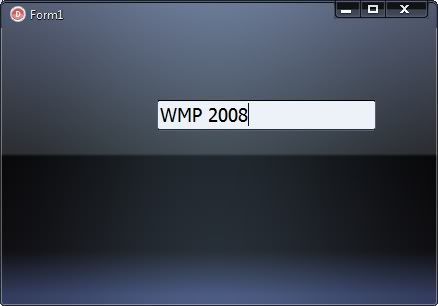
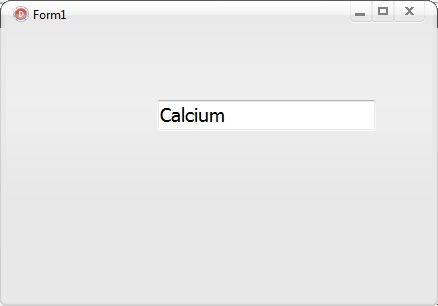
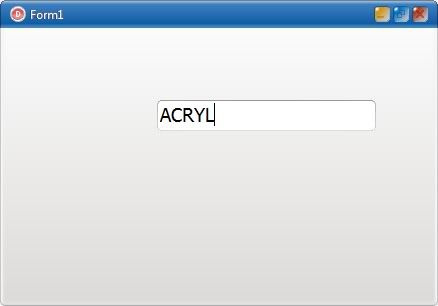
Having Problems with SkinSection = ToolBar

Viewing 4 posts - 1 through 4 (of 4 total)
  • Author
    Posts
  • #49797
    Hamilton
    Participant

      What behaviour are you asking us to test Darren?

      #49799
      DarrenB
      Participant
        'Hamilton' wrote:

        What behaviour are you asking us to test Darren?

        Hi Hamilton,

        just set up a basic form as described, and set it's skinprovider/skindata/skinsection property to Toolbar. Run your app with the skins I've shown in the pics and do you see same behaviour? I understand that in reality, simply placing a panel with skinsection property ToolBar, and making this the size of the form's client area eradicates problem completely…just curious 🙂

        Thanks

        Darren

        #49823
        Support
        Keymaster

          Hi Darren!

          “TOOLBAR” section had incorrect data for Active state in some skins.

          All skins are updated now and you can download them here :

          http://www.alphaskins.com/sfiles/skins/askins.zip

          #49825
          DarrenB
          Participant
            'Support' wrote:

            Hi Darren!

            “TOOLBAR” section had incorrect data for Active state in some skins.

            All skins are updated now and you can download them here :

            http://www.alphaskins.com/sfiles/skins/askins.zip

            After skin package update and using showing the same 'problem skins I showed above…

            WNP2008_AfterUpdate.jpg

            Calcium1_AfterUpdate.jpg

            Acryl_AfterUpdate.jpg

            Looks proper! Thanks, Serge 😉

          Viewing 4 posts - 1 through 4 (of 4 total)
          • You must be logged in to reply to this topic.