
- This topic has 7 replies, 2 voices, and was last updated 7 years, 1 month ago by
 Support.
-
AuthorPosts
-
January 24, 2019 at 8:40 am #58958
Thank you for the demo.
This issue will be solved in the nearest release, I think.
January 24, 2019 at 5:10 pm #58971'Support' wrote:Thank you for the demo.
This issue will be solved in the nearest release, I think.
sListBox.pas line +/-512 in procedure TsCustomListBox.WMPaint(var Message: TWMPaint)
After a quick investigation, I think the problem is that a font always gets assigned to the canvas even when there is already one assigned.
It seems like simply adding this condition does the trick.
Code:if (assigned(Canvas.Font) = false) then
Canvas.Font.Assign(Font);January 30, 2019 at 2:25 am #58984o/
There seems to still have an issue with the listbox on the latest version: 14.14.
Code:Canvas.Font.OnChange := nil;doesn't seem to do the trick 100%.
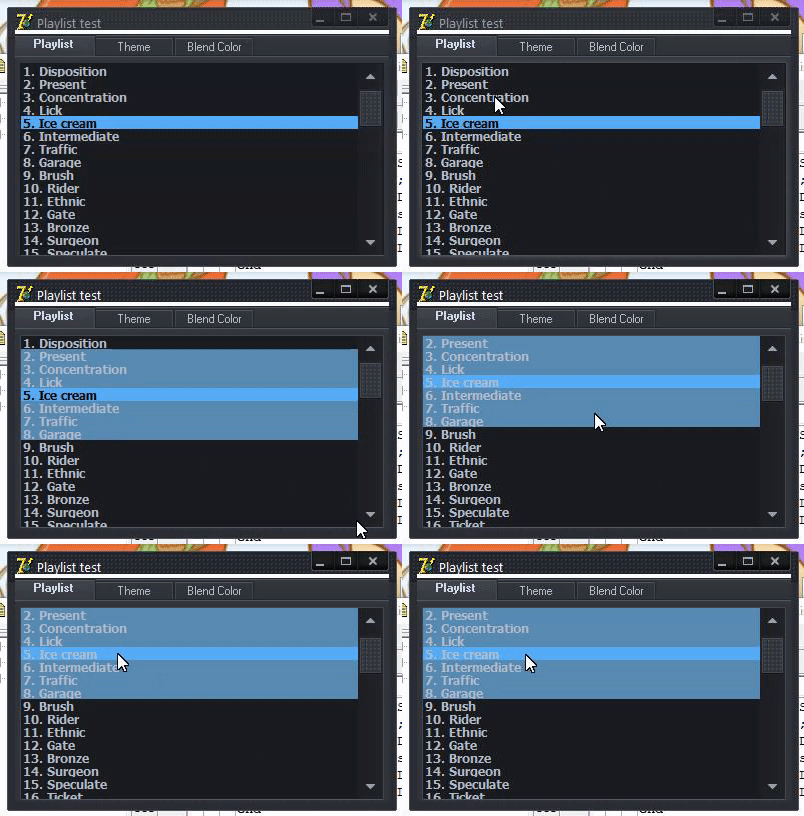
In the demo I provided, I believe the selected item is supposed to have a black font color (with the graphite skin, at least). See demo in first post.
The selected item seems to lose its color on repaint.
See gif.
However,
Code:if(Assigned(Canvas.Font) = false) then
Canvas.Font.Assign(Font);seems to behave correctly.
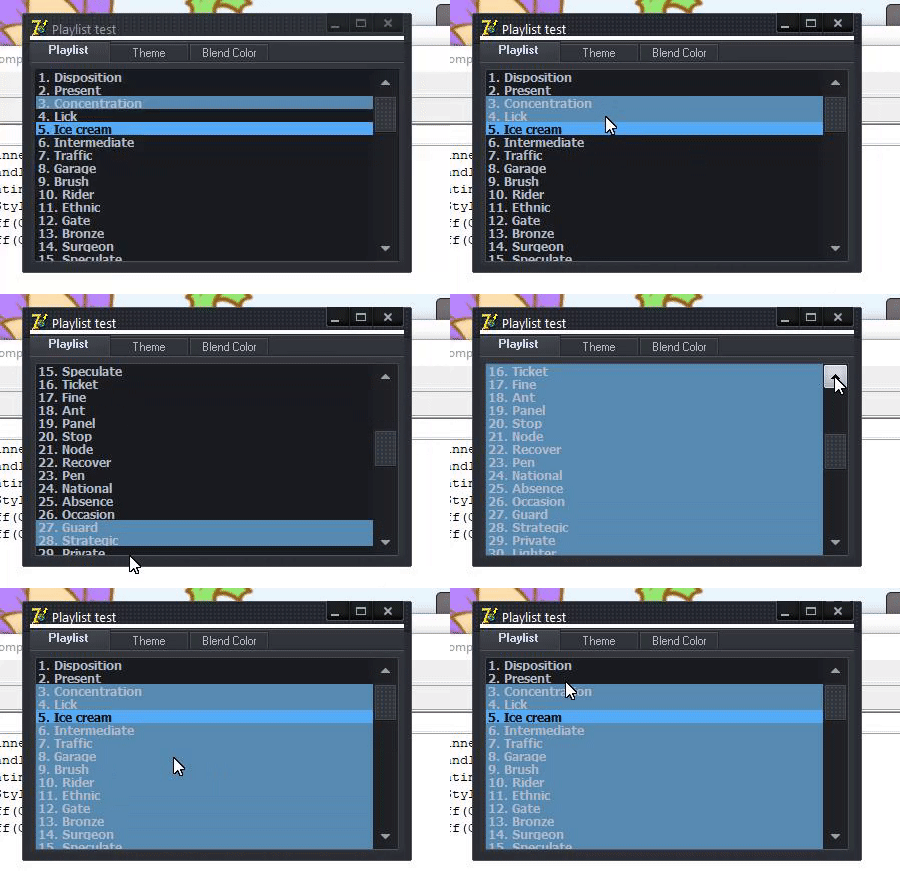
Also, while doing some other tests, I realised that I was losing my selection color (multiselect) when scrolling down to select more items & a repaint seem to paint back the background.
See gif.
Thank you for your time. 🙂
January 30, 2019 at 6:24 am #58990I will check it soon.
January 31, 2019 at 6:57 am #59007I have added your checking there, but it doesn't work.
It's strange that this code did a trick on your side.
“Assign(Font)” doesn't create a new TFont, this method just assigns font properties like Size, Color, etc..
I will research more your demo.
January 31, 2019 at 3:08 pm #59008'Support' wrote:I have added your checking there, but it doesn't work.
It's strange that this code did a trick on your side.
“Assign(Font)” doesn't create a new TFont, this method just assigns font properties like Size, Color, etc..
I will research more your demo.
Huh. Odd. Maybe my “fix” is more a hack which only works in Delphi 7? That's what I'm using.
February 1, 2019 at 6:29 am #59014Look the PM, I have sent you the patched file.
-
AuthorPosts


- You must be logged in to reply to this topic.