
- This topic has 12 replies, 3 voices, and was last updated 5 years, 9 months ago by
 Support.
-
AuthorPosts
-
May 4, 2020 at 6:20 pm #68746
I think it’s the blurred background
Stephane Senecal
CIS Group
Delphi programmer since 2001May 5, 2020 at 3:23 pm #68755Hello, Dick
You can look how it works in the AMegaDemo program
Additional information will be ready soon.May 5, 2020 at 3:57 pm #68761I had a look.
The only thing I saw different is a slightly different blur. But it did not look better or worse, so that cannot be the only purpose of the FluentUI property.May 5, 2020 at 5:44 pm #68762Are you on Windows 10
Stephane Senecal
CIS Group
Delphi programmer since 2001May 5, 2020 at 7:03 pm #68763Are you on Windows 10
Yes
May 11, 2020 at 7:26 pm #68775This feature works under Windows 7 also.
Dick, look the screenshot, please.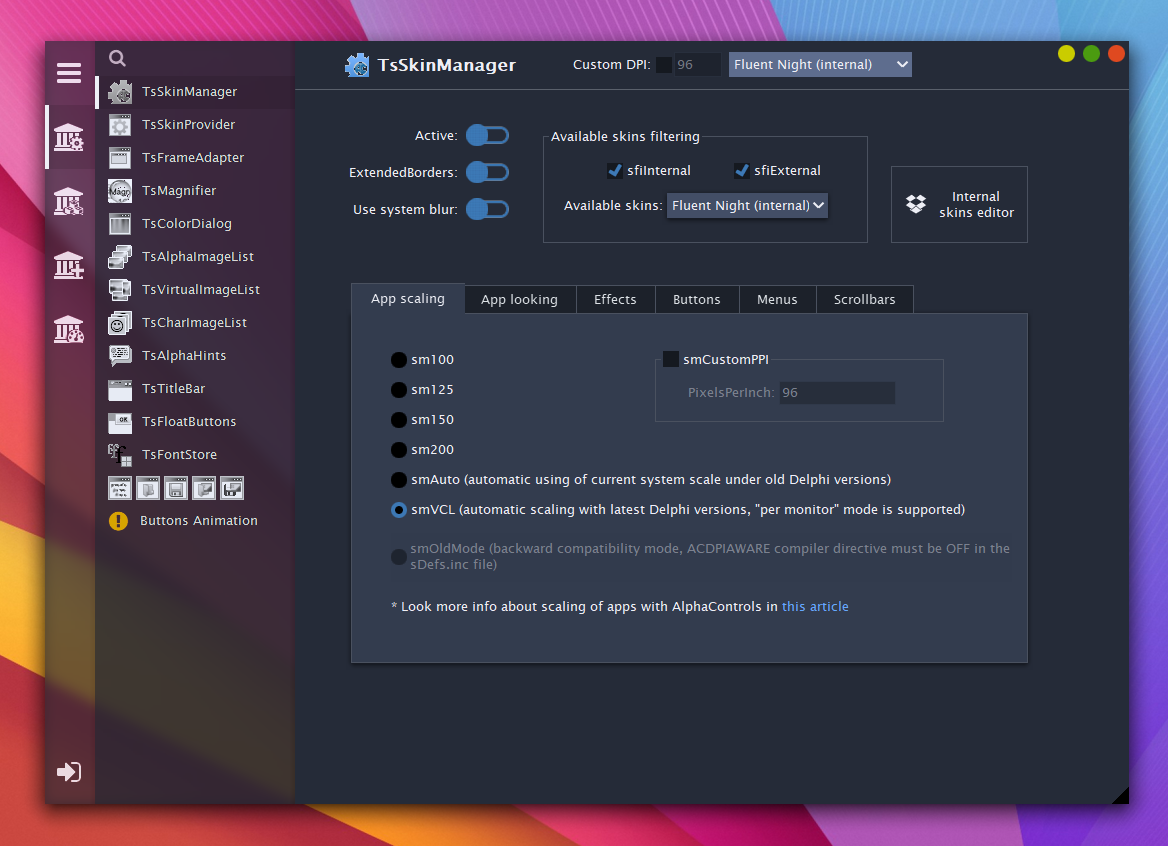
These left transparent panels were not possible in the v15.05
The FluentUI property activates it since v15.06.May 12, 2020 at 12:44 pm #68786So, the FluentUI property should have been named SystemTransparency?
Because the current property name hints on a Microsoft Design system, which it is not. And FluentUI really hides its purpose.May 12, 2020 at 2:38 pm #68790Maybe the name “Acrylic” would be better. As HeDiBo said, Fluent UI is a lot more than just blurred backgrounds.
Stephane Senecal
CIS Group
Delphi programmer since 2001May 12, 2020 at 5:38 pm #68794Also, if you have no knowledge of the Microsoft Fluent architecture, the property might just as well be “TableTop”. It would be just as meaningless.
May 13, 2020 at 5:25 pm #68802I noticed that the blur is not even the same one than the one from Fluent UI apps as Settings on Windows 10.
The blur on Fluent UI app is more pronounced. So it should not even be called Acrylic.
In the windows api, it is called Blur Behind. It’s a bit dull as a name. Maybe “SystemBlur” would be good.Stephane Senecal
CIS Group
Delphi programmer since 2001May 13, 2020 at 8:39 pm #68803I second that
May 14, 2020 at 5:18 pm #68811Acrylic form is a part of fluent design and I thought to make a property which will include most these parts.
After acrylic form I was planning to add more sub-properties there, but now I see that you are right, “SystemBlur” will be better. Other new properties will not be included in this property, they will be placed separately and it will be better for developer, seems, more intuitive.Acrylic blur used if Mode sub-property is “fmAcrylicBlurBehind”. It’s supported in Windows 10 only, otherwise will be used old fmBlurBehind mode.
-
AuthorPosts


- You must be logged in to reply to this topic.